
Mobile Payments in Korea - Kakao Pay, Naver Pay, and Cards
Tap a heading to read that section.
Tourists arriving in Korea with a phone full of working tap-to-pay habits are often surprised that it doesn't carry over. Apple Pay only works with a Korean-issued card at all, Google Pay depends on whether the terminal in front of you actually has an NFC reader, and the two payment apps every local actually uses — Kakao Pay and Naver Pay — are built around a QR/barcode system that assumes a Korean bank account. None of this makes paying in Korea harder, exactly, but it does mean the payment method you default to at home may not be the one that works best here.
What should you actually pay with?
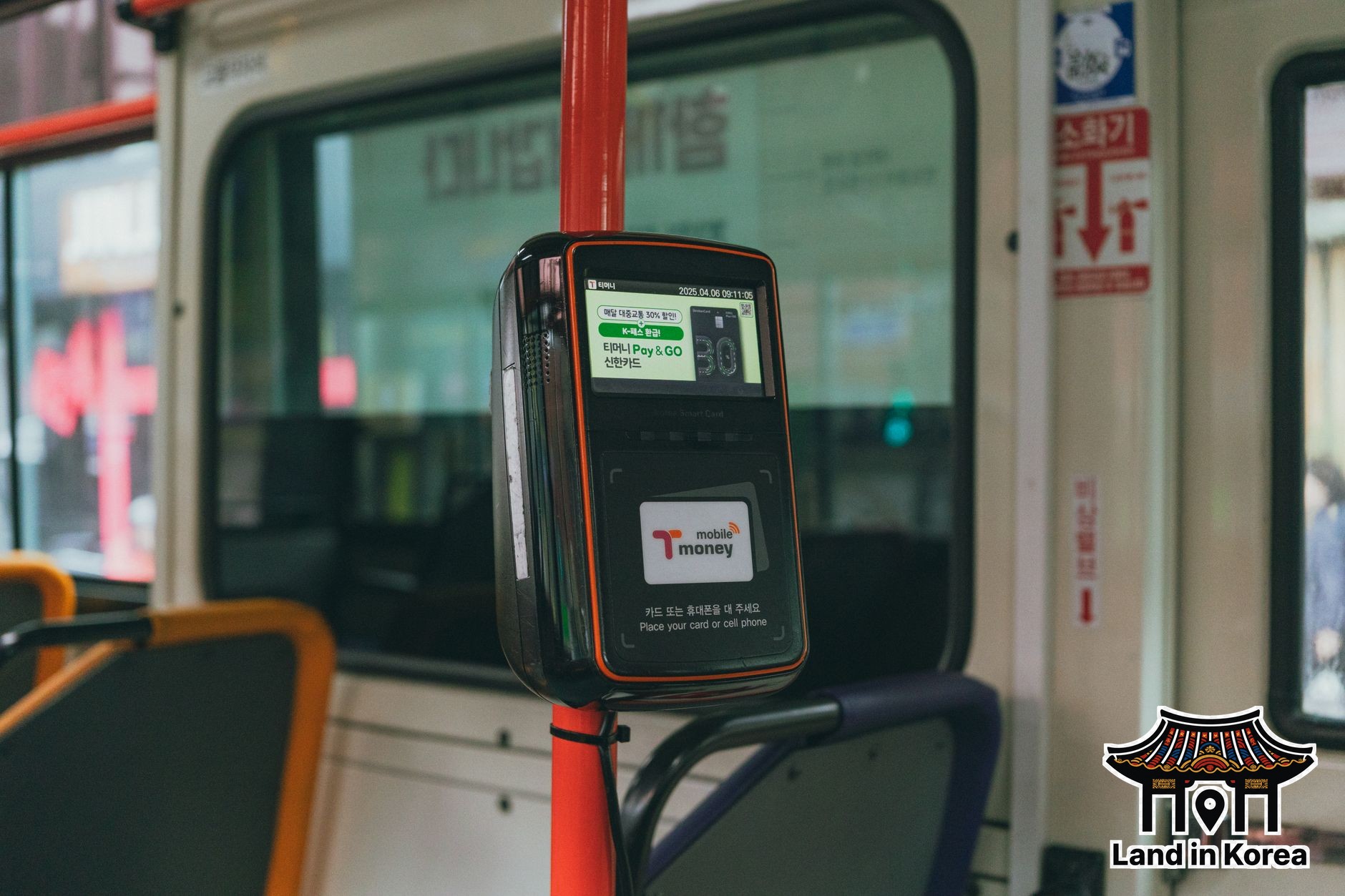
For a short trip, skip the wallet apps entirely — a contactless foreign card is accepted almost everywhere and needs no setup. Apple Pay only works with a Korean-issued card, and Kakao Pay/Naver Pay assume a Korean bank account, so neither is realistic for most visitors. A T-money card covers transit either way.
Why Apple Pay and Google Pay underperform in Korea
Korean point-of-sale terminals were largely built around a domestic card-processing standard, and Apple spent years negotiating with local banks and Samsung (whose own Samsung Pay uses a different technology, MST, that mimics a card swipe) before Apple Pay launched in Korea in 2023 through Hyundai Card as the sole issuer at launch. By 2026 that list has grown to include Samsung Card, Shinhan Card, KB Kookmin Card, and Hana Card — but it's still Korean-issued cards only; a foreign-issued card can't be added to an Apple Wallet for use here at all, no matter which bank issued it. Google Pay has a different gap: NFC coverage is nationwide on paper, but a meaningful share of small shops outside big chain stores still only have older swipe-or-insert readers, so the real inconsistency is terminal hardware, not which city you're in. The practical result: don't assume your phone's tap-to-pay will work at a random corner store or local restaurant, even if it works flawlessly at the airport or in a department store.
What Kakao Pay and Naver Pay actually are
Kakao Pay (built into KakaoTalk, which almost every Korean has open constantly) and Naver Pay are QR-code and barcode wallets, not NFC taps — you either scan a code at the register or show your own code for the cashier to scan. They're linked to a Korean bank account or a registered Korean-issued card for full functionality, which locks out most short-term tourists from the full experience. Both companies have introduced limited foreign-card top-up options in recent years aimed at visitors, letting you load a prepaid balance onto the app with an international Visa or Mastercard, but setup still requires passing identity verification steps that some visitors find more hassle than it's worth for a short trip.
What actually works for most visitors
A standard foreign debit or credit card that supports contactless (tap) payment works at the overwhelming majority of Korean terminals, from convenience stores to taxis to department stores — this is the simplest and most reliable option for anyone not planning to live in Korea long enough to open a bank account. T-money transit cards (covered separately) handle subway, bus, and even some convenience store purchases regardless of your phone's wallet situation. Cash still works everywhere but is increasingly unnecessary outside markets and very small vendors.
If you're staying long enough to want a local wallet
Travelers on a longer stay — student exchange, work contract, or extended digital nomad time — who get an Alien Registration Card (ARC) and open a Korean bank account can register for full Kakao Pay or Naver Pay access within that same banking trip, since the apps verify through the same identity system as account opening. At that point they function exactly like locals' wallets: QR payments, peer-to-peer transfers, and bill splitting through chat, which is genuinely more convenient for day-to-day spending than carrying a card once you're actually settled in.
Checking your own card before you fly
Before relying on contactless tap as a backup plan, check two things with your home bank ahead of the trip: whether your card actually has a contactless (tap) chip at all — some older or budget cards still only support insert-and-PIN — and whether your bank flags or blocks a cluster of purchases in a new country as suspected fraud. A quick travel notification through your banking app, or a short call before departure, prevents the single most common "my card stopped working in Korea" complaint, which is usually the bank's own fraud system rather than anything on the Korean side. Carrying two cards from different banks as a backup is a cheap safeguard, since a block on one rarely hits both at the same time.
Chinese visitors specifically should know that WeChat Pay and Alipay are accepted at a meaningful and growing number of stores in tourist-heavy areas like Myeongdong and Hongdae, often advertised with a sticker on the door, which can be more convenient than setting up a Korean-specific wallet for a short trip. For everyone else, the honest summary is: bring a contactless card you've confirmed works internationally, treat Kakao Pay and Naver Pay as something to set up only if you're staying long enough to open a Korean bank account, and don't expect your phone's built-in wallet to be the easy default it is at home.
Official sources
This guide is checked against Apple Pay (supported Korean issuers) and Kakao Pay. Supported banks and foreign-card top-up features change — confirm current details there before you rely on them.
Frequently Asked Questions
Does Apple Pay work in Korea?
Yes, but only with a Korean-issued card. Apple Pay launched in Korea in 2023 through Hyundai Card and has since added Samsung Card, Shinhan, KB Kookmin, and Hana — a foreign-issued card can't be added to Apple Wallet for use here at all, so it isn't an option for most tourists regardless of which bank they use at home.
Can tourists use Kakao Pay or Naver Pay without a Korean bank account?
Only in a limited way. Both apps offer foreign-card top-up modes for a prepaid balance, but full access still requires Korean identity verification, so most short-term visitors rely on a regular contactless card instead.
What payment method should tourists use by default in Korea?
A foreign debit or credit card with contactless (tap) support works at nearly every terminal in Korea and is the simplest option — phone-based mobile wallets are the exception here, not card payments.